 Golden Lockpick
Golden Lockpick
Golden Lockpick
Free for the Gothic 1 Remake
One file, no installer — just double-click it to play. If the download didn't start automatically, use the button below.
Windows 10 / 11 · one file, no install · free
One 30 second step the first time
Because Golden Lockpick is a brand new indie app, Windows shows a "Windows protected your PC" box the first time you run it. It is not a virus warning. Here are the two clicks to start it, and why it is safe.
The warning comes from Microsoft Defender SmartScreen. It is not a virus alert. SmartScreen flags any app that is new and has not yet been downloaded by thousands of people, or is not signed with an expensive code signing certificate. Golden Lockpick is a small indie tool, so it is brand new to Microsoft, and the warning simply says "unrecognized", not "dangerous".
It is a single player quality of life tool. It only sends ordinary keystrokes, exactly like you pressing the keys yourself, and it never touches the game files. As more people download it, this warning goes away on its own.
After you double click the file, this purple box appears. Do not click "Don't run". Instead, click the More info link under the message.
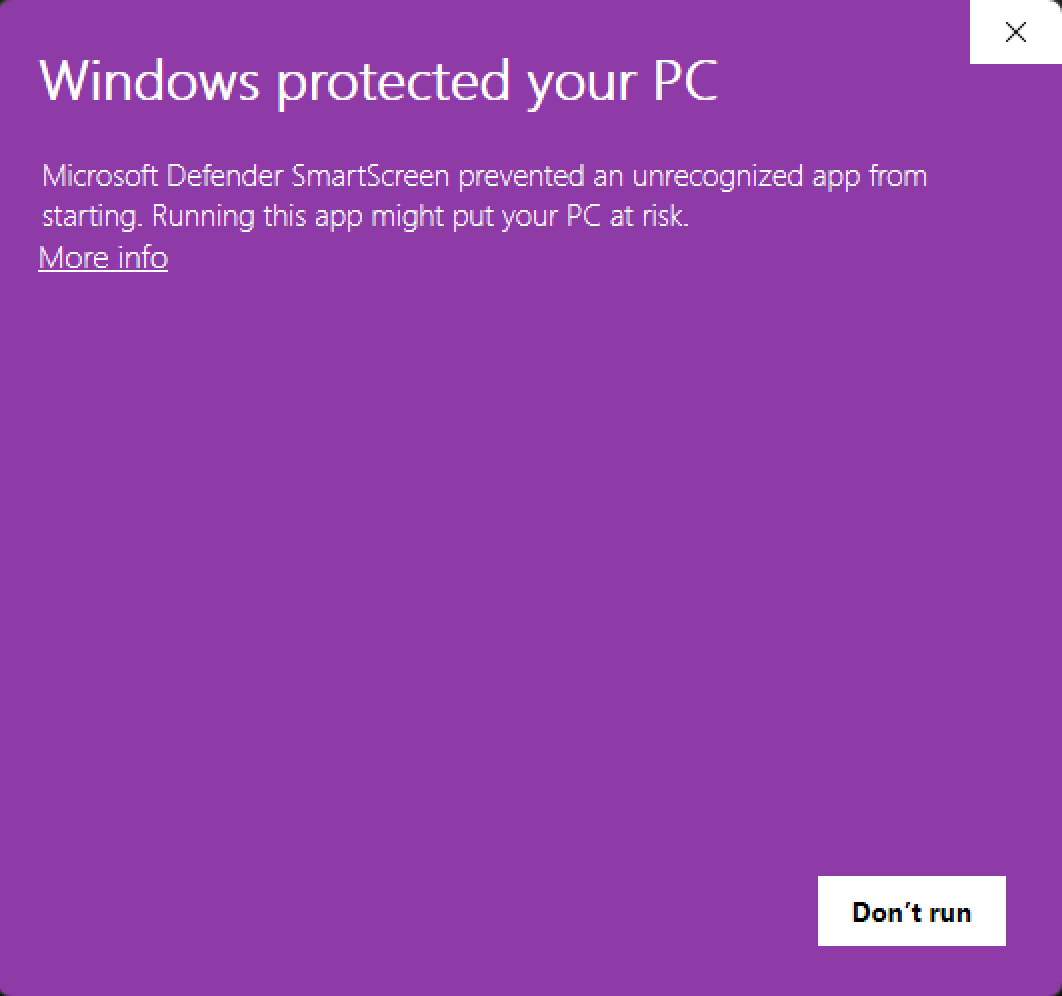
Once you click More info, a Run anyway button appears in the bottom right. Click it and Golden Lockpick starts. You only have to do this once.
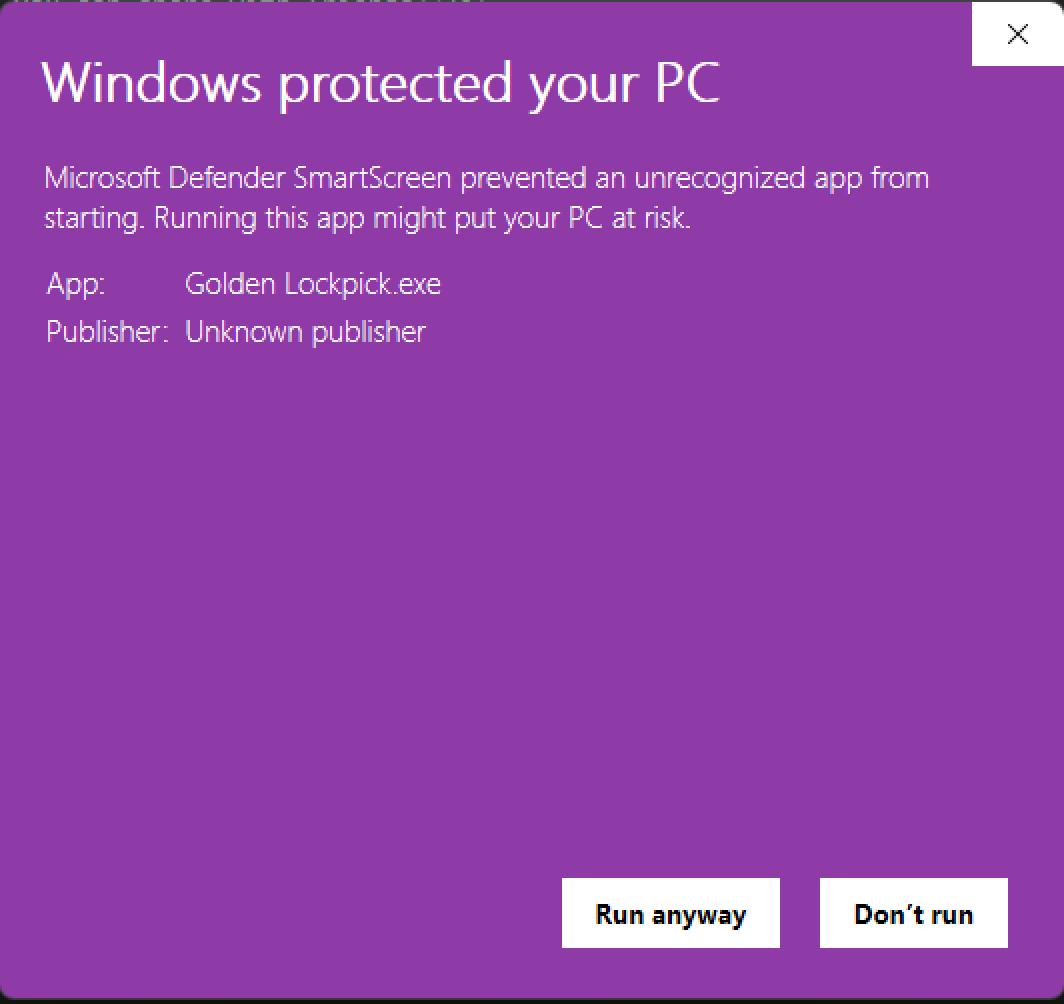
Two clicks the first time, then it just works. If your download didn't start, grab it here.
Download for WindowsWindows 10 / 11 · one file, no install · free