 Golden Lockpick
Golden Lockpick
Golden Lockpick
Gothic 1 Remake · 87 verified locks
Type an NPC name to get the exact plate-turn sequence. Free, instant, browser-based — no account needed.
Want it done automatically while you play? Get the free Windows tool →
Search above to find any named NPC lock from the Gothic 1 Remake.
Or browse the full chest guide library for step-by-step walkthroughs.
Skip the counting entirely
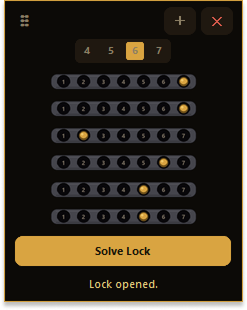
The free Windows tool reads the lock in front of you and sends the full sequence automatically. You click once and it opens — no counting, no broken picks.
Download for Windows — free See how it worksWindows 10 / 11 · No install · No Python
How to use the solver
Type the character's name in the search box. The solver covers 87 named NPCs across all camps in the Gothic 1 Remake.
Match the coloured starting plate layout against what you see in the game. If it does not match, you are at a different chest — each lock in the Remake has a fixed, unique starting state.
Use the Next button to step through each move. The solver highlights the current step and crosses off each one as you go. Tap Reset to start over if you lose your place.
How do I use the Gothic lockpick solver?
Type the NPC name in the search box — for example "Diego" or "Mordrag". The solver shows the starting plate positions to confirm you are at the right lock, then gives you the exact sequence of plate turns. Use the step-by-step buttons to follow one move at a time so you never lose your place.
How many locks does the solver cover?
The solver covers 87 named NPC locks from the Gothic 1 Remake, including all major characters from the Old Camp, New Camp, Swamp Camp, Old Mine and Free Mine. Every solution is hand-verified from the game.
What do the starting plate positions mean?
Each lock in the Gothic 1 Remake starts with its plates at fixed positions. A value of 0 means the plate is centred; a negative number (e.g. −3) means it sits left of centre; a positive number (e.g. +2) means it sits right of centre. Match these against what you see in the game before you turn anything — if they do not match, you are at a different chest.
Do I need to download anything?
No. The Gothic lockpick solver runs entirely in your browser — no download, no install, no account. Just type the NPC name and follow the steps. If you want a tool that opens the lock automatically while you are playing, the free Golden Lockpick Windows app does that.
Why does the solver ask me to confirm starting positions?
Multiple NPCs sometimes share similar-looking locks, and the game occasionally reuses assets. The starting plate layout is a unique fingerprint for each chest — if your plates match the values shown, you are at exactly the right lock and the solution will work.